Customer Opt-Out Procedure
Overview
This knowledge base article outlines the procedure to opt-out customers from receiving messages and offers on their vehicle.
Opt-In Message
The AutoHub Service Acquisitions Solution sends an opt-in message when the vehicle is an eligible target according to the dealership's pricing strategy. This message gives the customer the option to text "STOP" to opt out. Once a customer opts out, they are opted out indefinitely, but only within AutoHub's software.
Manual Opt-Out
The AutoHub web application allows the dealership to manually opt-out a customer by using the customer's phone number.
Manual Opt-Out Procedure
Obtain the phone number that you wish to opt-out
Open the AutoHub Web Application
Navigate to Menu > Customer Opt-Outs
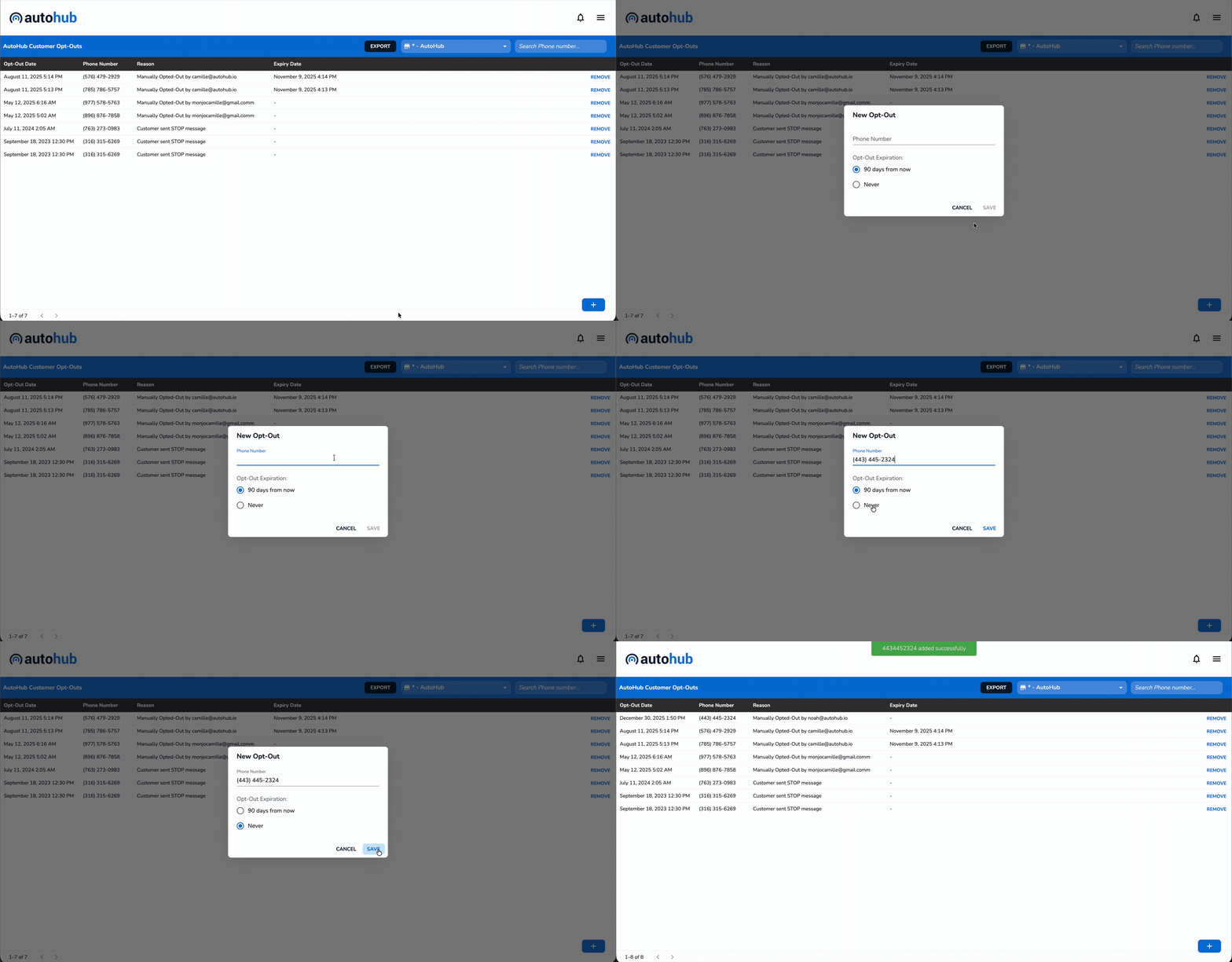
Click the plus (+) button in bottom right hand corner of the opt-out page
Input the phone number that you wish to opt-out
Select the Opt-Out Expiration (either "90 days from now" or "never")
Click "Save" to finalize your submission
Removing an Opt-Out
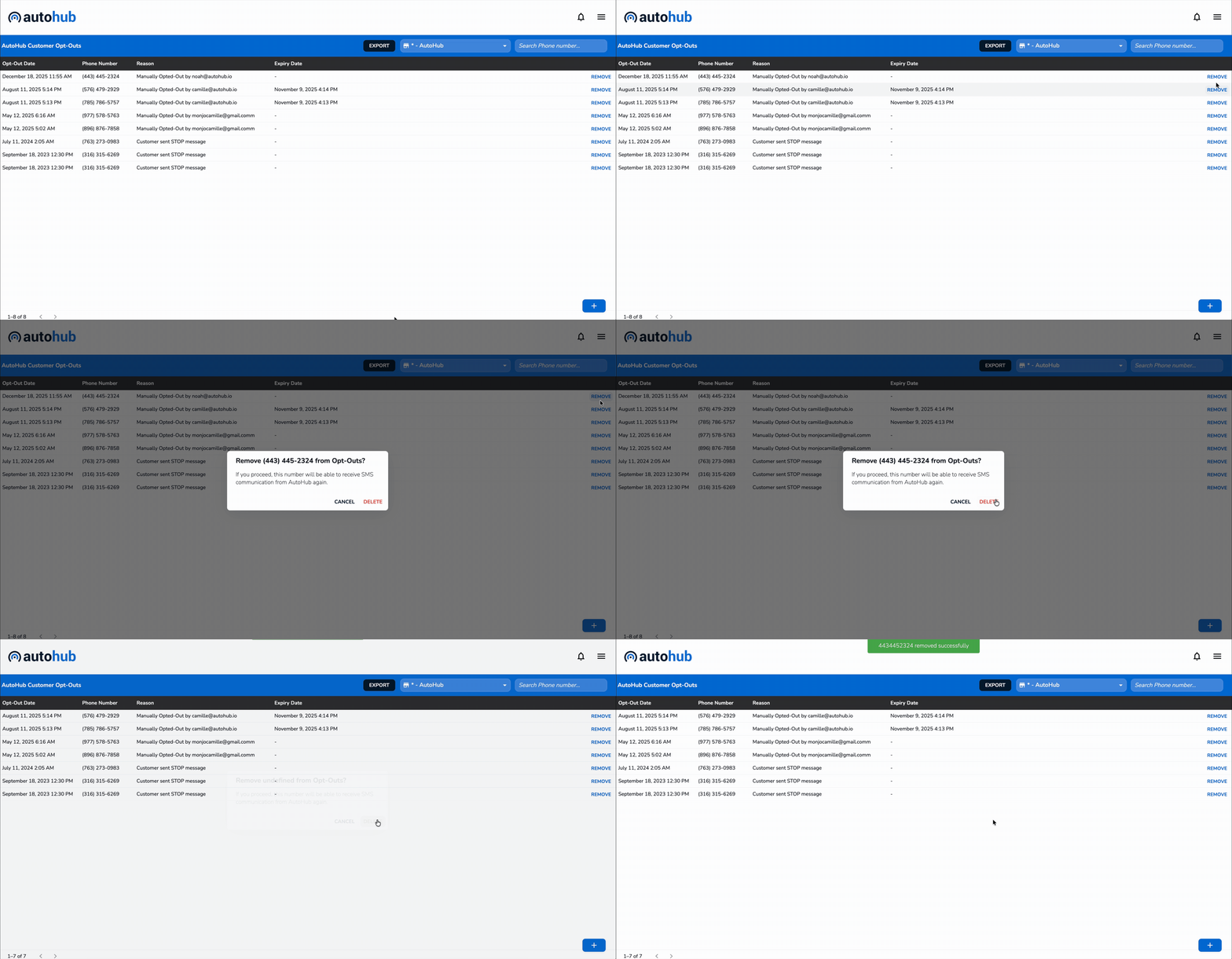
Obtain the phone number that you wish to opt-out
Open the AutoHub Web Application
Navigate to Menu > Customer Opt-Outs
Search for the phone number you wish to remove from the opt-out list
Click "Remove" and confirm the deletion. Note that once this is performed, the customer will be able to receive SMS communication from AutoHub