
DealerTrack DMS Integration
Please follow these instructions to integrate your DMS with AutoHub
Opentrack is a web service that allows bi-directional integration between the Dealertrack DMS and certified third-party vendors. An authorized user will need to define the Vendor’s settings for each API (Application Programming Interface) they intend to access. Authorize to Opentrack must be selected in Data Extraction User Security to access Opentrack.
‼️ Caution ‼️
Skipping any of the steps on this guide will result in a failed integration
Please note, this is a two step process. You will complete these steps twice,
once for Access Method "Service" and once for "Customers"
Log into your DealerTrack DMS Account
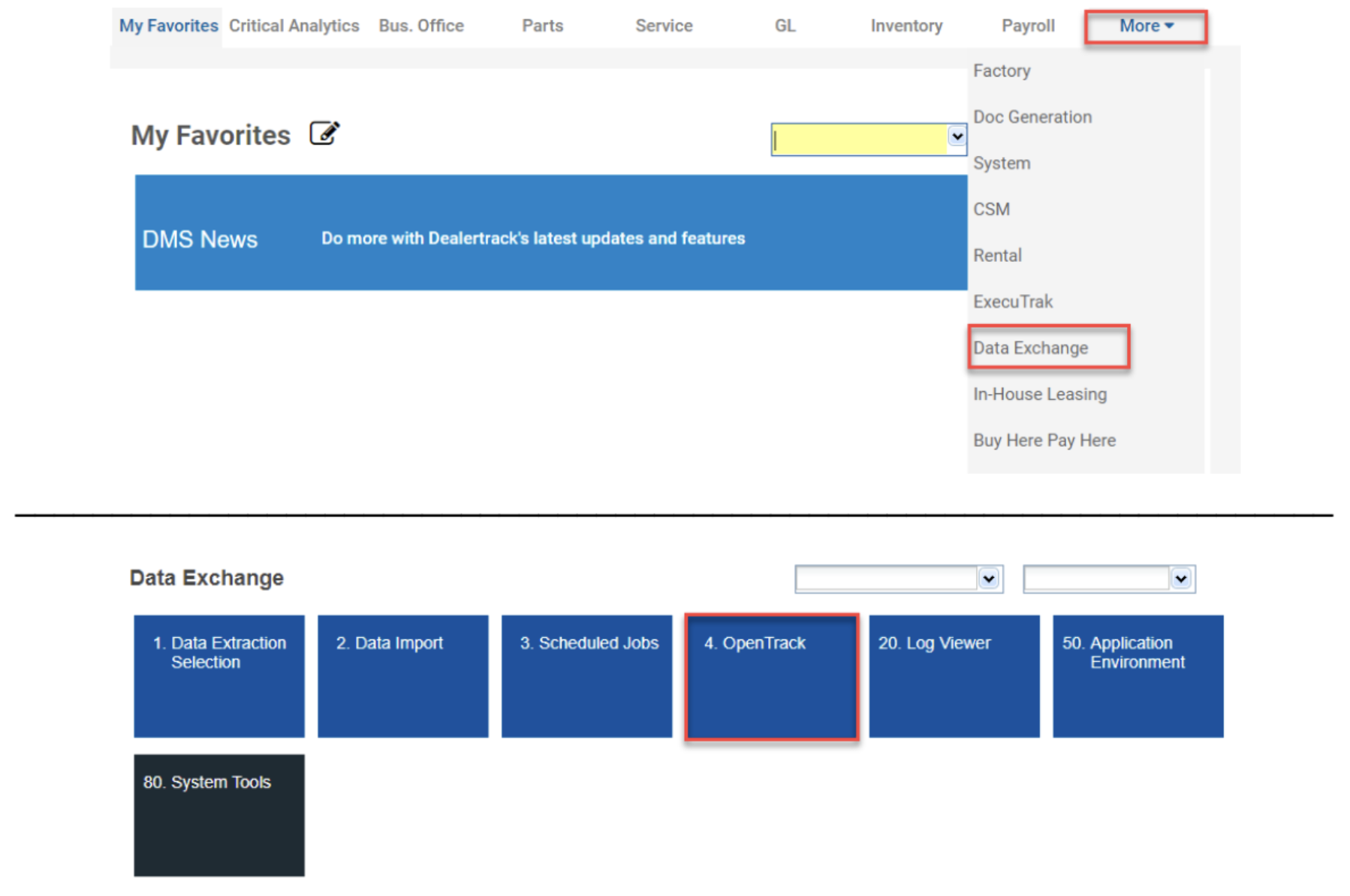
From the More menu item, select Data Exchange, then select OpenTrack.
If you don’t see OpenTrack, it’s because you don’t have permission, please contact your Dealerships IT to either handle steps 2-4, or give you access
so that you may do it yourself.
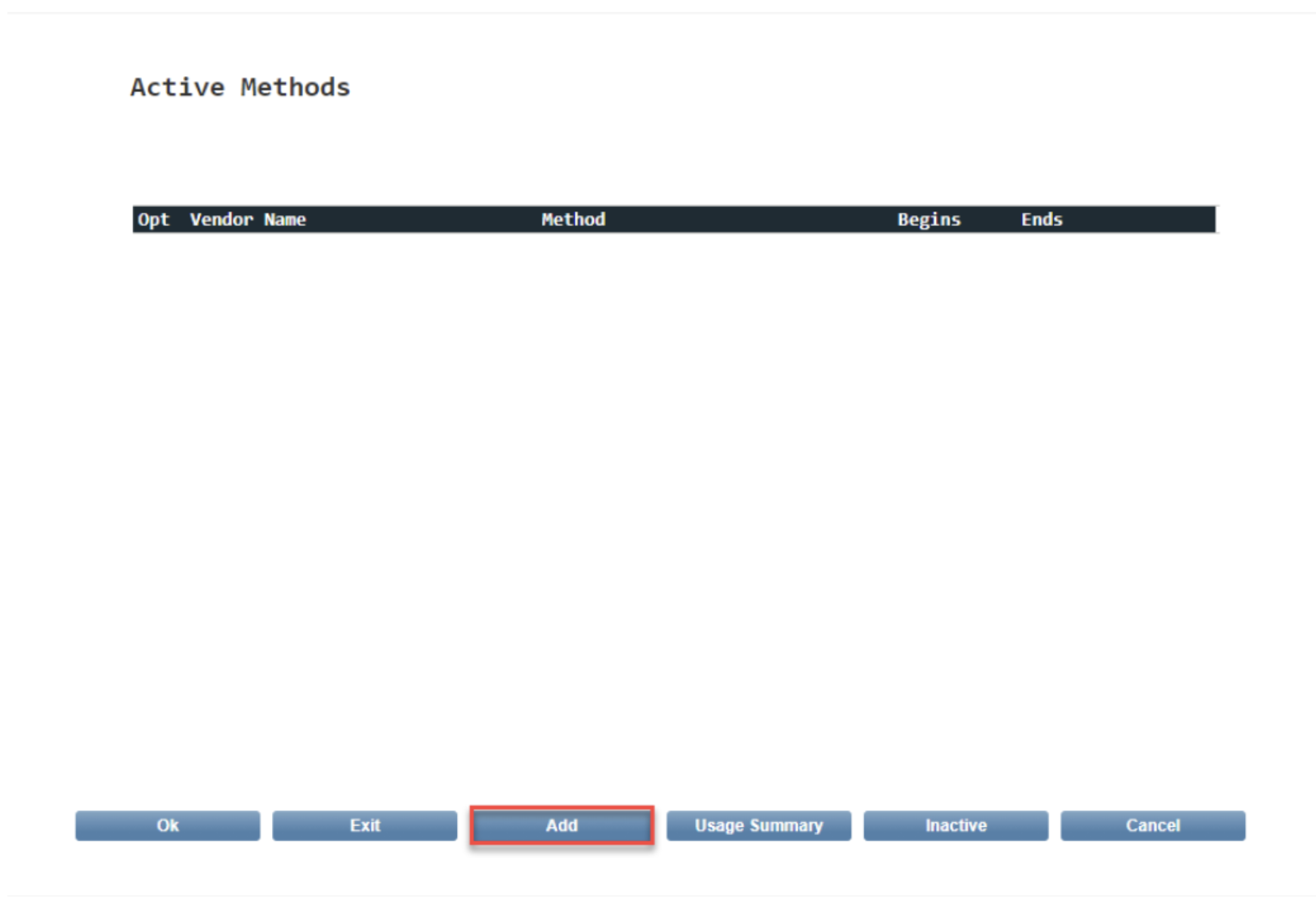
When the Active Methods list screen shows, Select Add at the bottom of the screen.
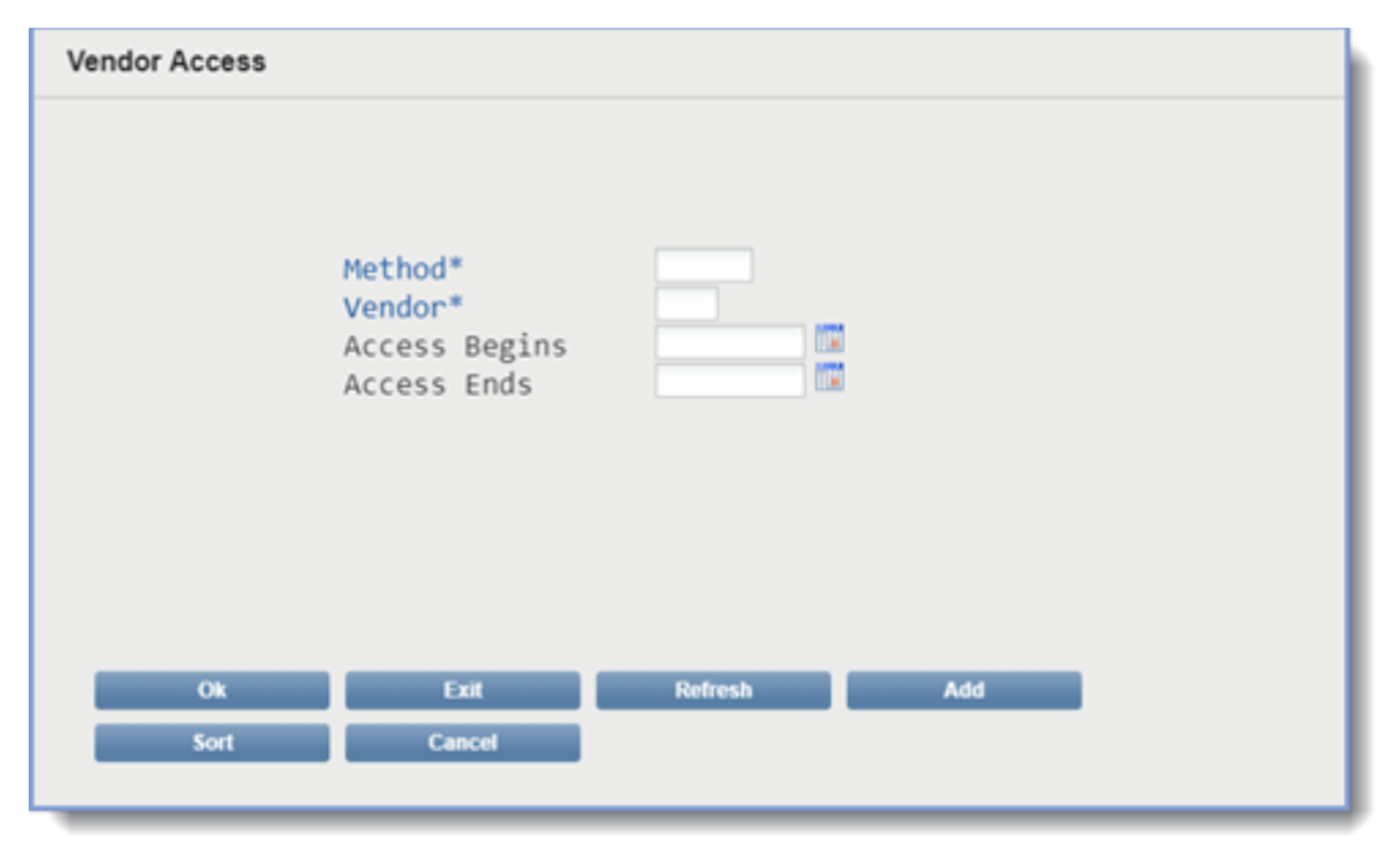
When the Vendor Access definition screen displays, define the Vendor specifications
For Method, select: Service
Click ‘Ok” when you have selected Method "Service"
For Vendor, select: AutoHub (AUH)
Click ‘Ok” when you have selected "AutoHub"
For access begins, choose: Today’s Date
For access ends, leave this field blank
Click ‘Ok” when you are finished
Repeat Steps 2-4 for "Customers"
When the Vendor Access definition screen displays, define the Vendor specifications
For Method, select: Customers
Click ‘Ok” when you have selected Method "Customers"
For Vendor, select: AutoHub (AUH)
Click ‘Ok” when you have selected "AutoHub"
For access begins, choose: Today’s Date
For access ends, leave this field blank
Click ‘Ok” when you are finished
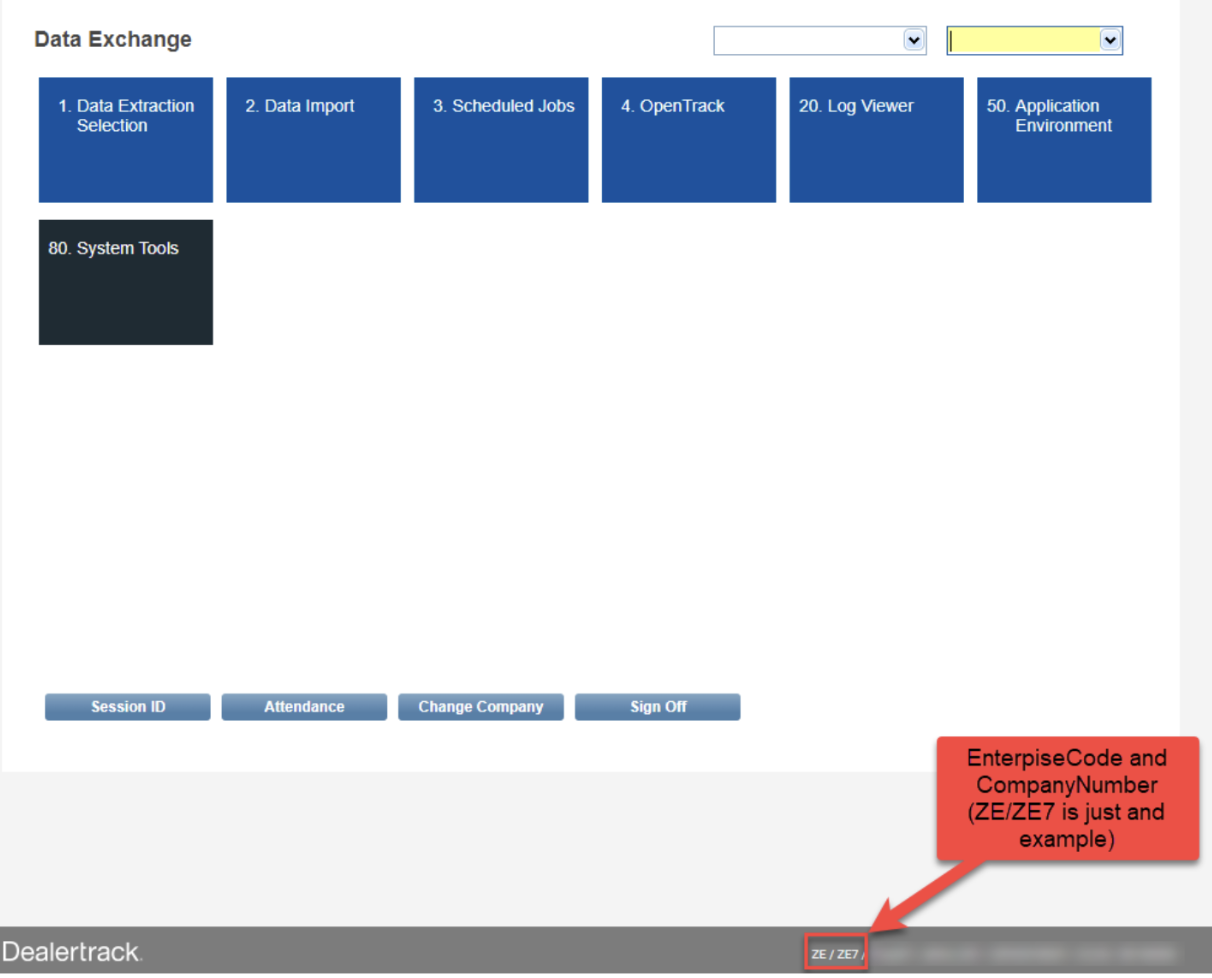
After you have completed these steps, please send AutoHub your Enterprise Code and Company Number. This is found at the bottom of the screen in your DealerTrack DMS. Example: ZE/ZE7

Questions? Email Onboarding@autohub.io