
Existing DealerTrack Partners
Please follow these instructions to update your AutoHub integration
AutoHub recently partnered with OpenTrack to resolve an ongoing issue where ROs were not being targeted due to missing customer phone numbers.
We are very happy to offer this solution to your dealership!
This will effectively ensure that we are able to target every eligible service customer in your drive without any major modifications to your current process.
Log into your DealerTrack DMS Account
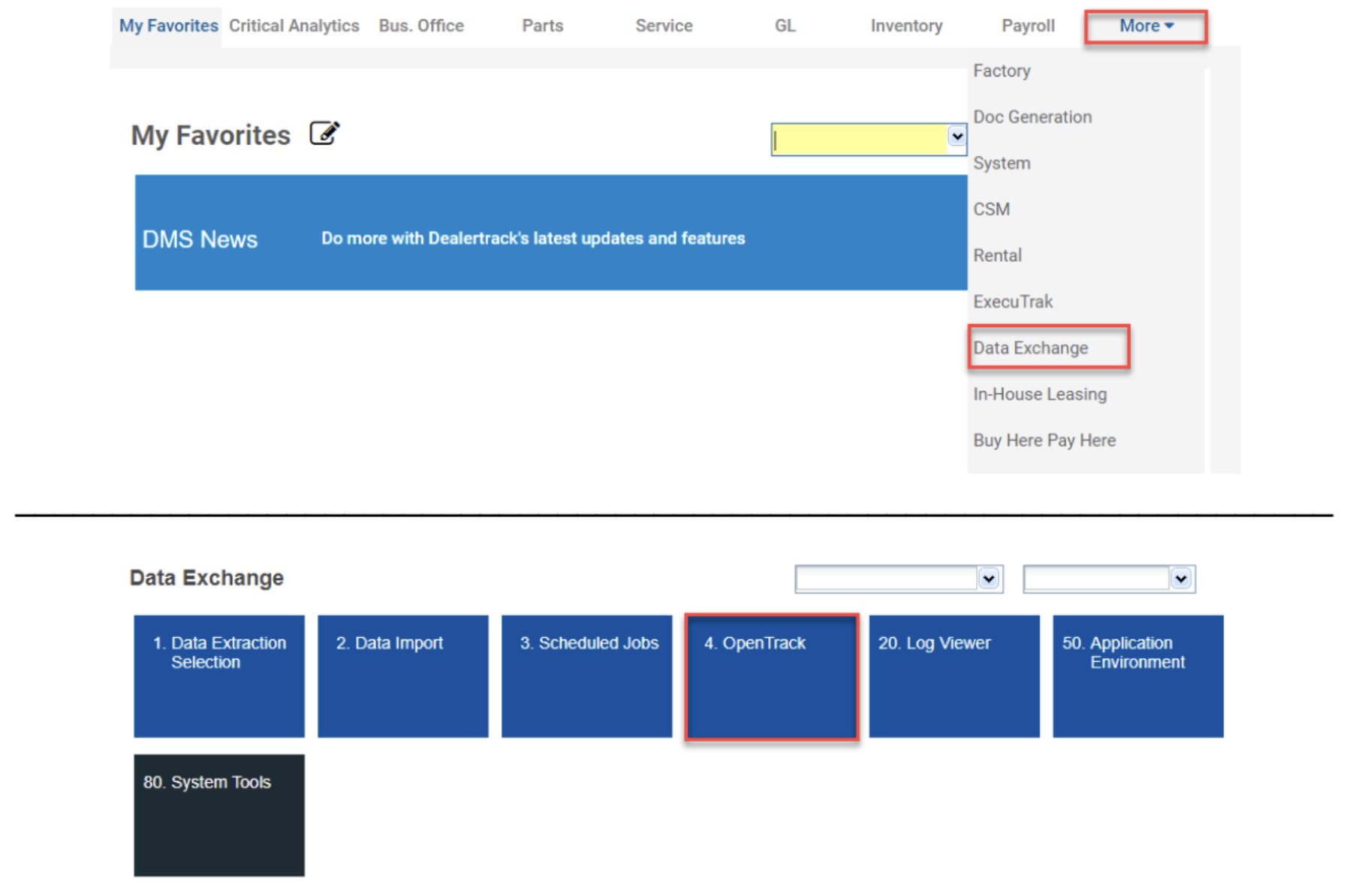
From the More menu item, select Data Exchange, then select OpenTrack.
If you don’t see OpenTrack, it’s because you don’t have permission, please contact your Dealerships IT to either handle steps 2-4, or give you access
so that you may do it yourself.
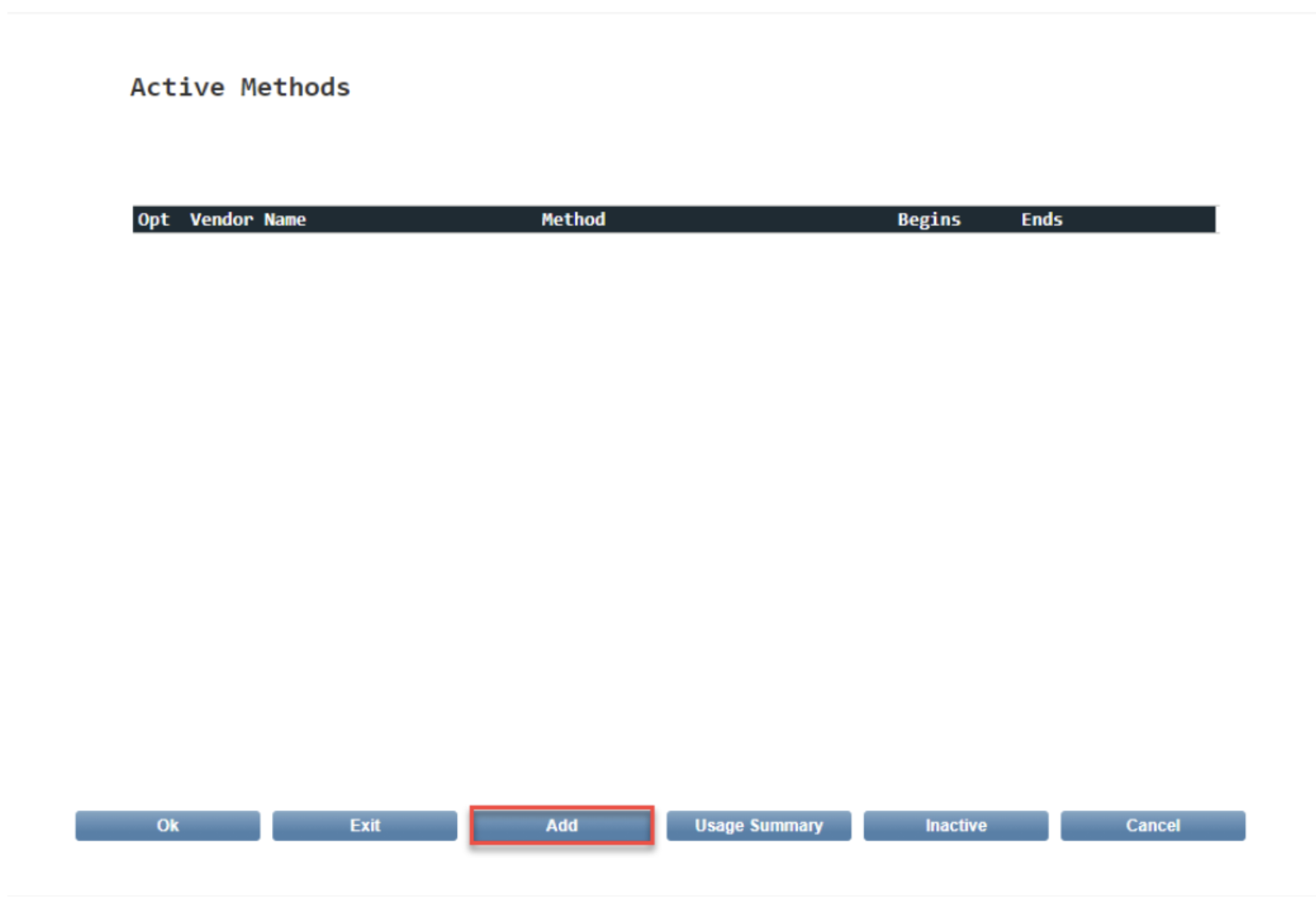
When the Active Methods list screen shows, Select Add at the bottom of the screen. You will already see the active 'Service' Method on this screen.
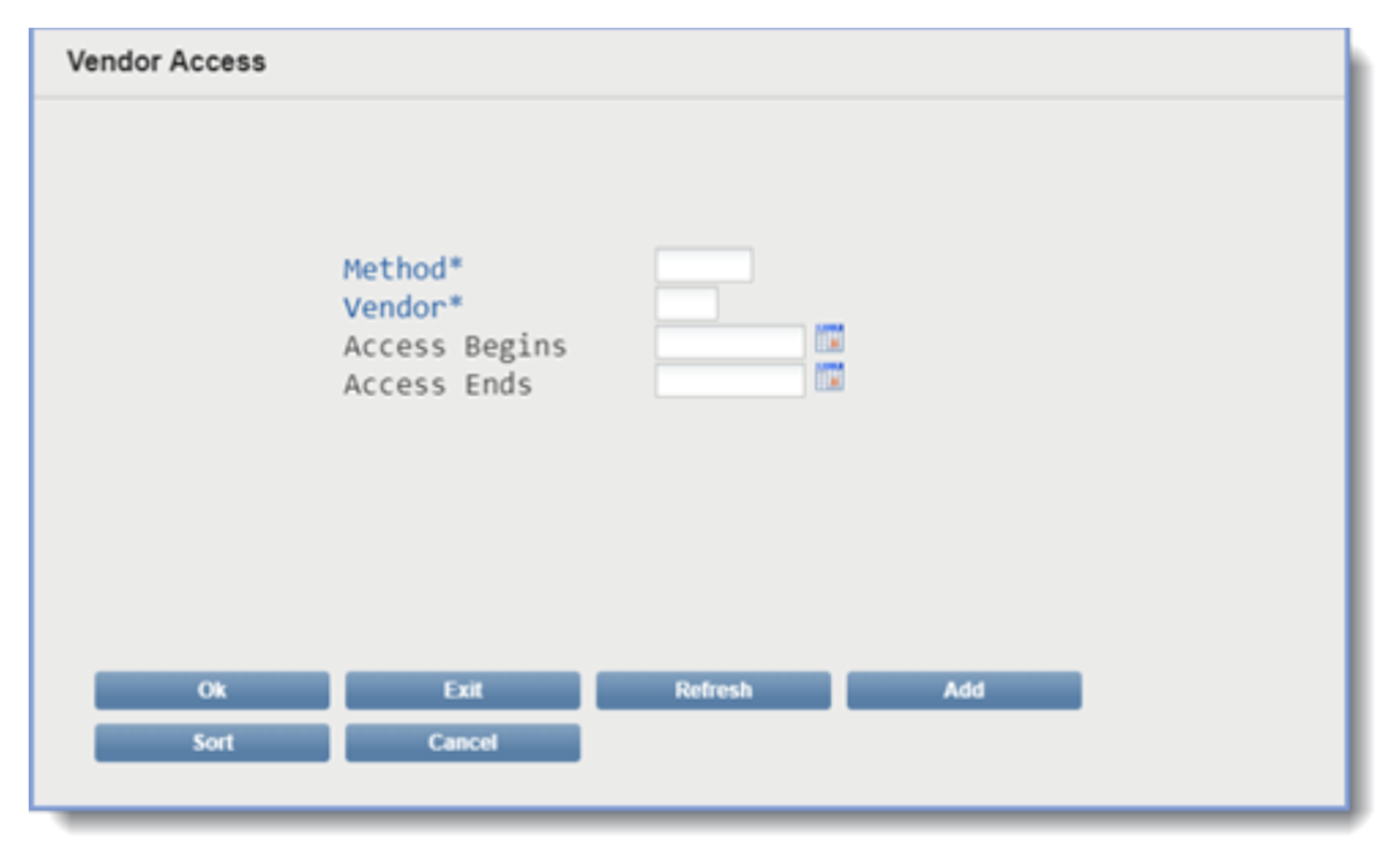
When the Vendor Access definition screen displays, define the Vendor specifications
For Method, select: Customers
'customers' ensures that we will receive all phone numbers on file
For Vendor, select: AutoHub (AUH)
For access begins, choose: Today’s Date
For access ends, leave this field blank
Click ‘Ok” when you are finished
(a) Method, select: Customers ← required
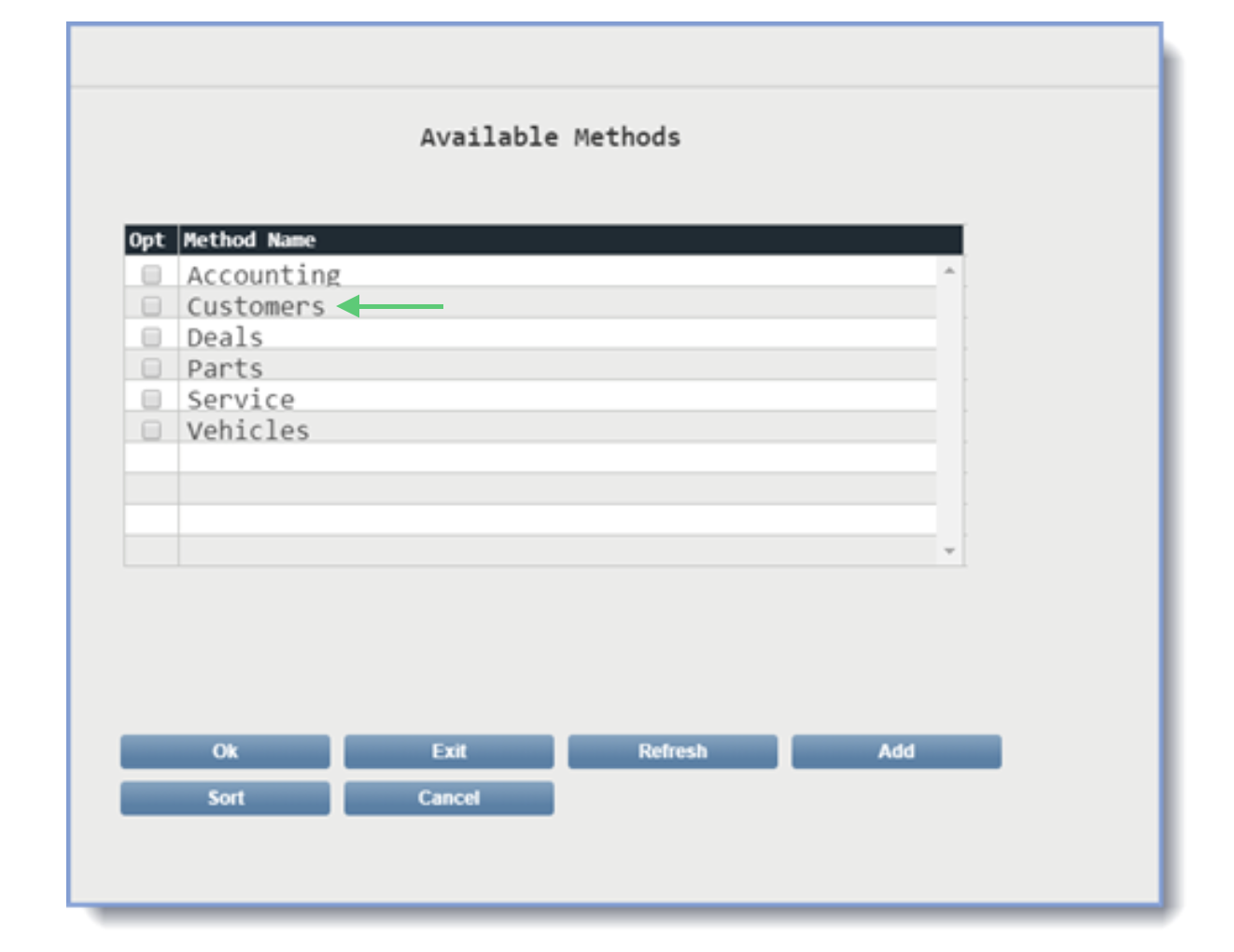
Click ‘Ok” when you have selected the Method
(b) Vendor, select: AutoHub (AUH)
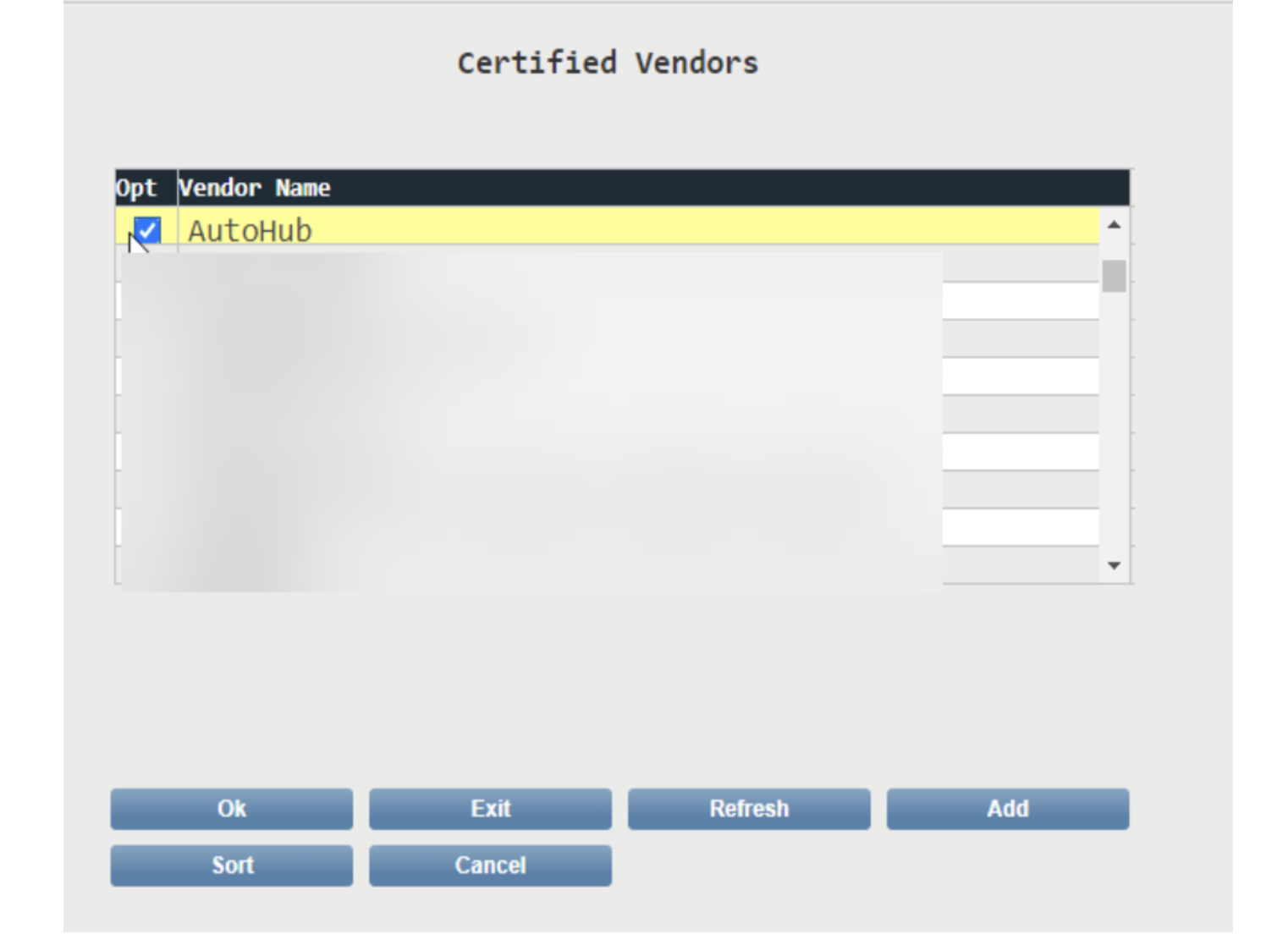
Click ‘Ok” when you have selected "AutoHub"
That's it, you're done!
Please let your Account manager knows that you have completed this step

Questions? Email Onboarding@autohub.io